 Daily Tracker
A family planner that works with the calendar you already use
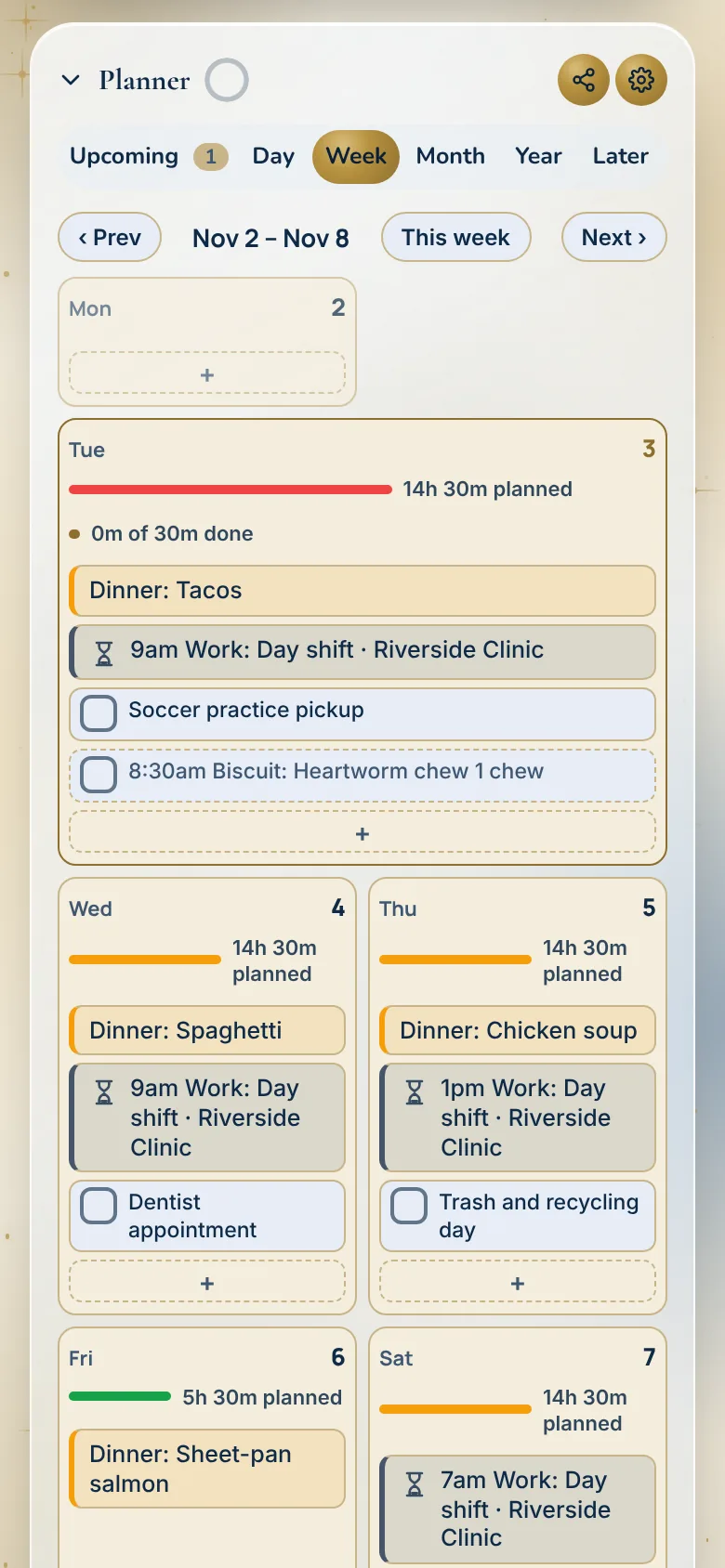
Keep Google, Apple or Outlook. Daily Tracker shows their events in the Planner next to your tasks, work shifts and the family’s plans, so you aren’t keeping two calendars.
In both plans · Personal $1.99 or Household $4.99 a month
What you get
- Do I have to move my calendar?
No. Add your calendar’s private link and its events show in the Planner. Daily Tracker never changes them.
- Which calendars?
Google, Apple (iCloud), Outlook and any calendar that gives you a calendar link. Work schedules from UKG, When I Work, Deputy or Homebase, and school calendars like Canvas, come in the same way.
- Can I edit those events here?
No, they are read-only. Change them where they live, and the Planner picks up the change when it refreshes.
- Can I get reminders for them?
Yes. Turn on Alert me for my other calendars too, and they use the same alert time as your tasks.
- Tasks and events on one day?
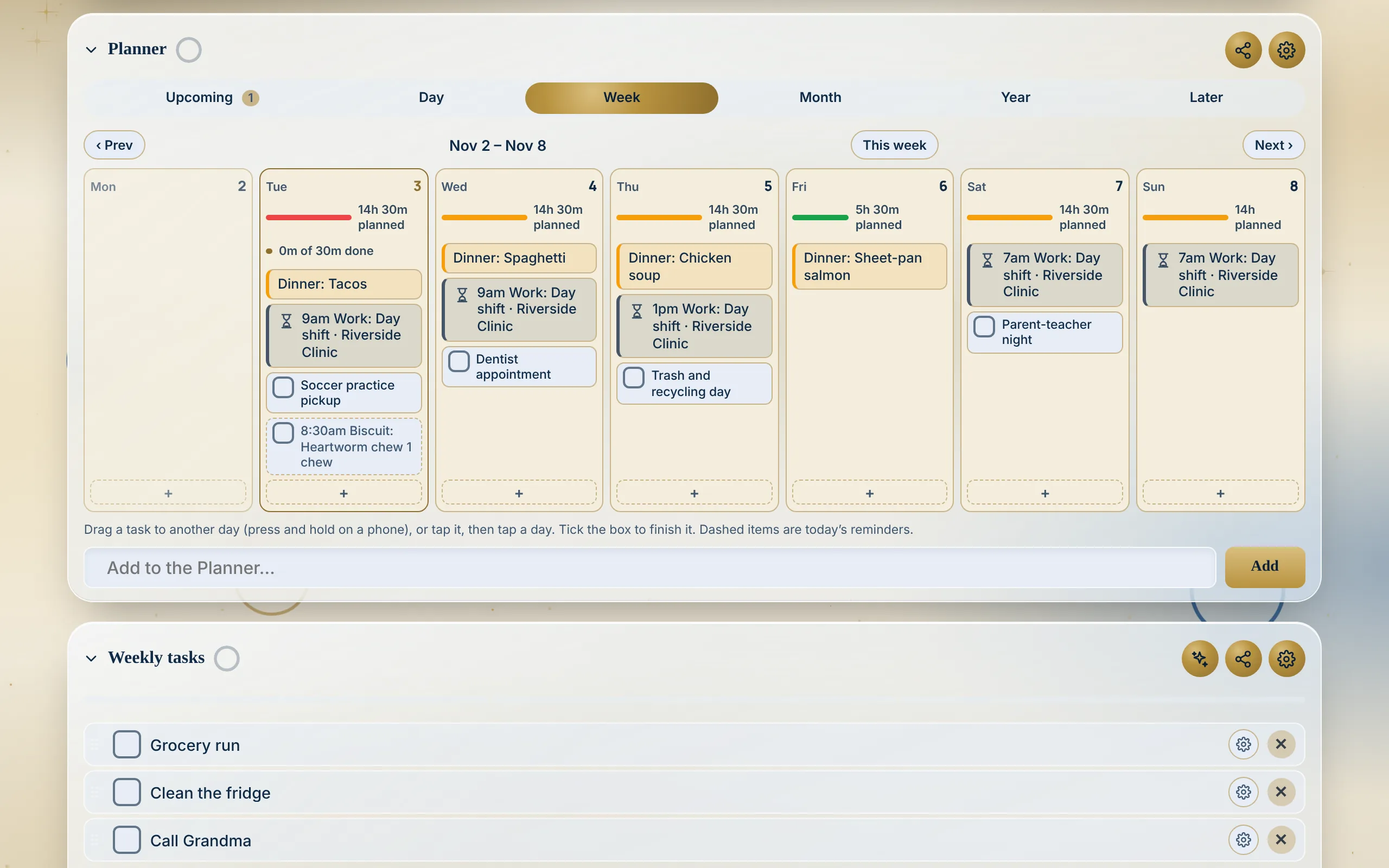
Yes. Day, Week, Month and Year views. In Day, drag a task onto a free hour. Upcoming shows what is next.
- The whole family?
On the Household plan, everyone’s plans sit in one Planner and each person keeps their own lists.
- What does it cost?
Your other calendars are in both plans: Personal $1.99 a month or Household $4.99 a month, each with 30 days free.
How to set it up
Copy your calendar’s link
Every calendar app has a private link for it. In Google Calendar it is the Secret address in iCal format, in the calendar’s settings.
Paste it in the Planner
In the Planner, tap Your other calendars, paste the link and tap Add calendar. Its events show next to your tasks.
Plan around it
Drag tasks onto the free hours of the day, and see everything that is coming up in one place.
Which one fits
- Your calendar app may be all you need if your days are mostly appointments.
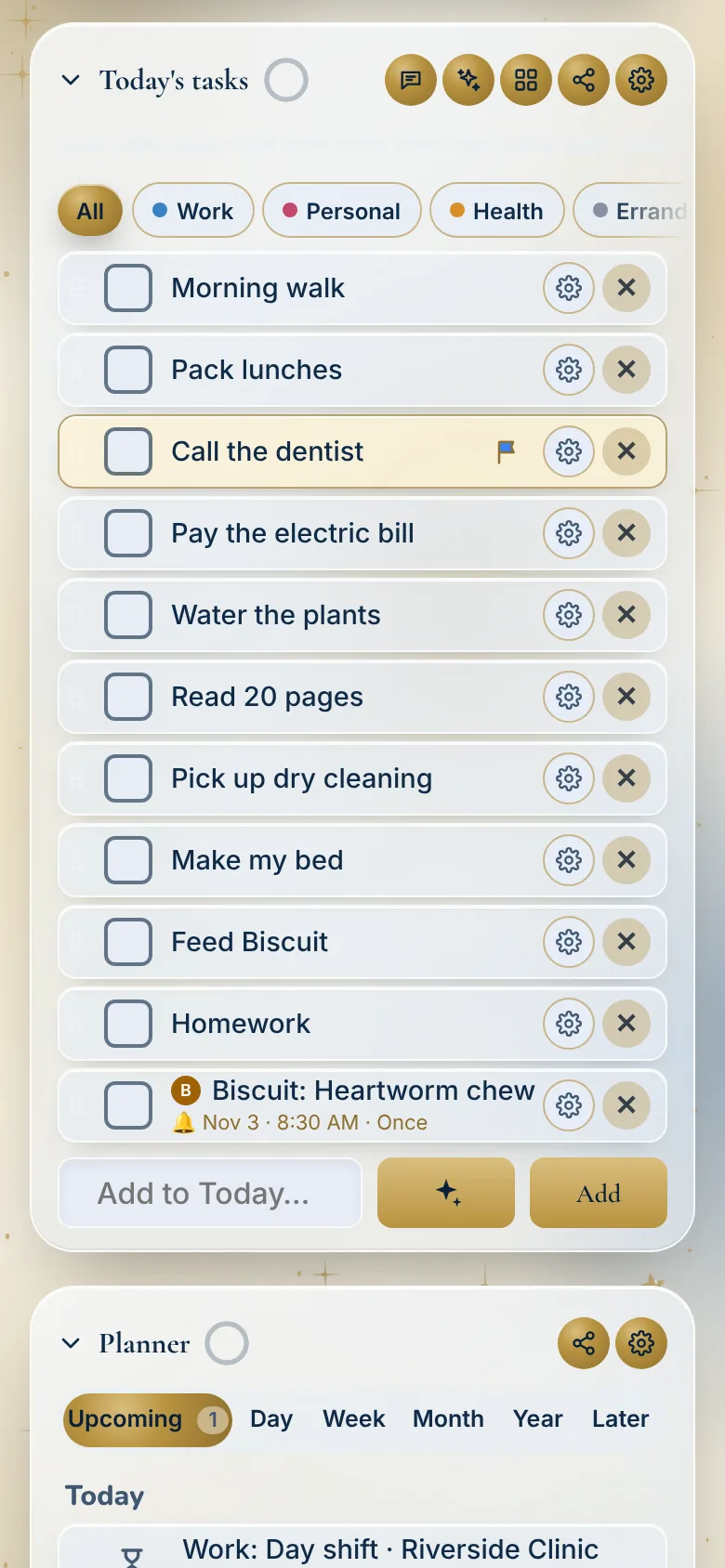
- Daily Tracker may suit you if your days are also lists, chores, medicines and shifts, and you want them next to the calendar you already keep.
Watch it
Questions
Does Daily Tracker replace my calendar?
No. It sits next to it. Your Google, Apple or Outlook events show in the Planner, and you keep using your calendar as you do now.
How do I add my Google Calendar?
In the Planner, open Your other calendars and paste your Google Calendar’s private iCal link. The steps are on that screen.
Will it change anything in my calendar?
No. Your other calendars are read-only in Daily Tracker. It never changes them.
Which plan has it?
Both plans. Personal is $1.99 a month or $19 a year, and Household is $4.99 a month or $39 a year, each with 30 days free.
Start your 30 free days
Personal
$1.99 a month or $19 a year
For one person.
- Lists: Today, Weekly and Monthly, reset on their own
- Planner: times, a calendar, Weather and your work shifts
- Reminders: notes, and steps inside steps
- Goals and Money: plans from 1 to 50 years
- Health: Sleep, Fasting and Skin care
- Records: Medications, Emergency info and Documents
- Pets: feeding, walks and vet dates
- Plants and Reading: watering days and a book log
- Calm: Focus timer, breathing and meditation
- Rewards: streaks, points and new looks
- Any screen: phone, tablet and computer, even offline
Household
$4.99 a month or $39 a year
For everyone at home.
- Everything in Personal, for each person
- People: each with their own lists and PIN
- Kids: a Kid’s screen, Baby mode, chores and rewards
- The Wall: one screen the whole house reads
- Food: shared Meals, Recipes and Grocery list
- Medications: for everyone, with caregiver links
- Pets: a dog walker link and a sitter pass
- Calendars: shared across the house
30 days free on either plan. No card to start. We’ll remind you before it ends.