 Daily Tracker
A family wall display, on a screen you already own
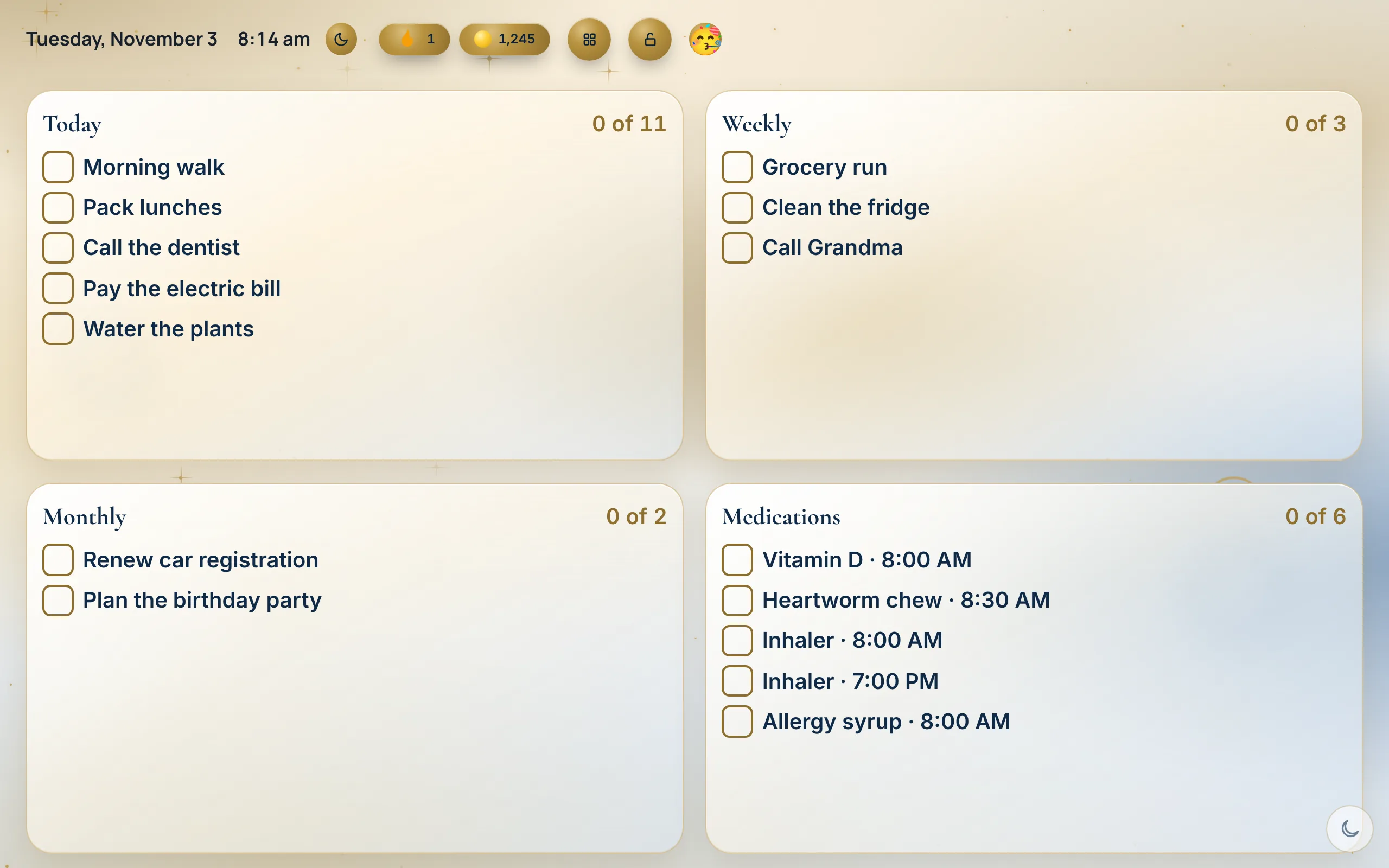
The Wall turns an old tablet, a spare laptop or a computer screen into one screen for the house: today’s tasks, doses and dinner for every person, big enough to read from across the kitchen. There is no device to buy. The Wall is part of the Household plan.
Household plan · $4.99 a month or $39 a year
What you get
- Do I need to buy a screen?
No. Any tablet or computer with a modern web browser works, and there is nothing to install.
- What does it show?
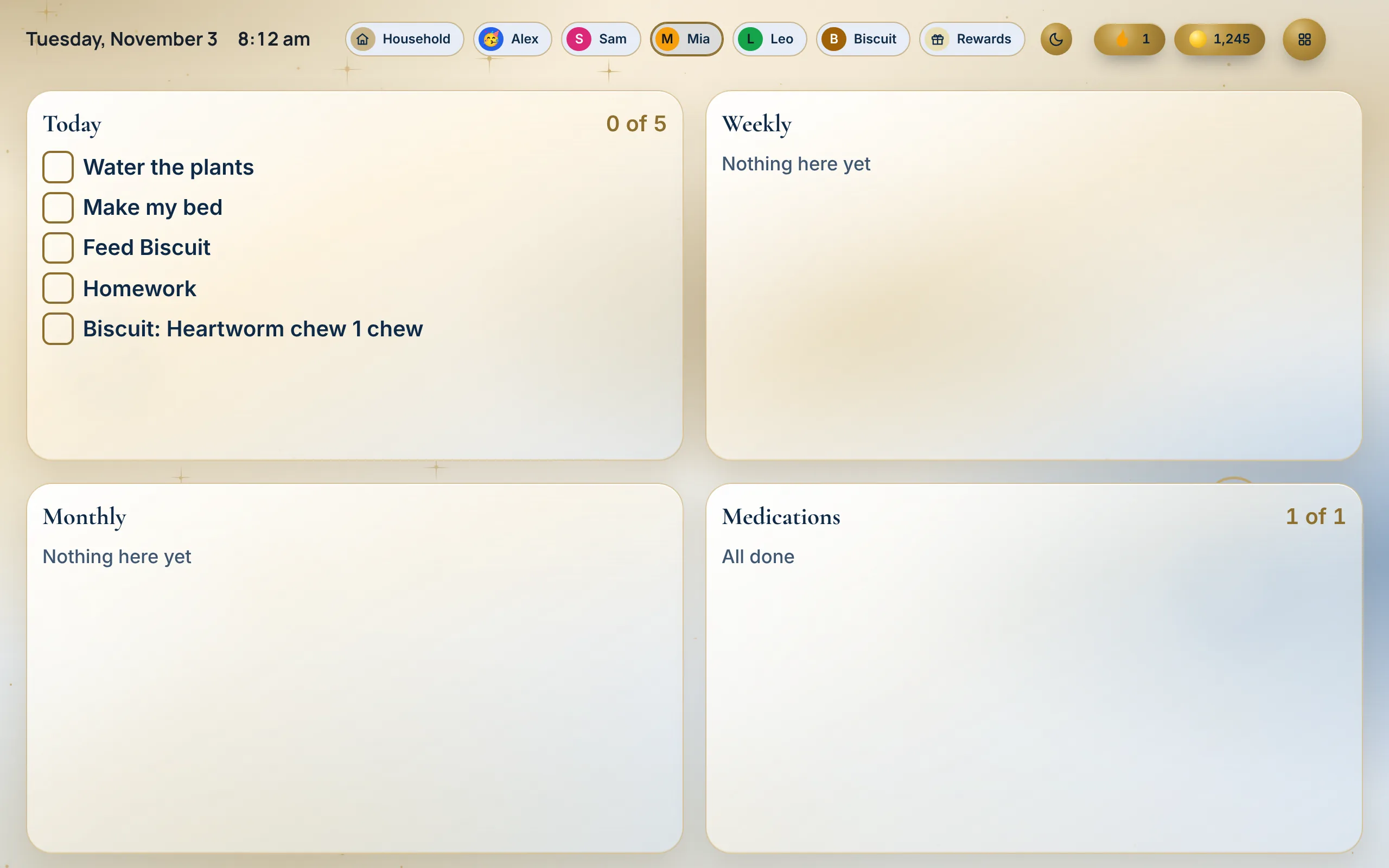
Today for every person in the house: their tasks, their doses and dinner. You choose which tiles show on it.
- Can we tick things off on it?
Yes. Tap a task or a dose on the Wall and it updates on every phone in the house in seconds.
- Does the screen stay on?
The Wall goes full screen and asks the browser to keep the screen awake. When nobody is using it, a screen saver dims it and shows drifting tiles or your family photos. The setup guide shows the device setting that always holds it.
- Can it show the month?
Yes. Calendar view fills the screen with the month: each day’s events, dinners and shifts. Tick Split with today’s list to keep Today and Weekly beside it, and tap a day to open it in the Planner.
- What if the Wi-Fi drops?
It keeps showing what it already loaded, with a small red dot in the corner, and syncs when the Wi-Fi is back.
- What about our other calendars?
Events from Google, Apple or Outlook show in the Planner next to your tasks, read-only, from each calendar’s private link.
- What does it cost?
The Household plan: $4.99 a month or $39 a year, for everyone at home, with 30 days free and no card to start.
How to set it up
Pick a screen
An old tablet, a spare laptop, or a monitor with a computer or a streaming stick that has a web browser.
Turn on the Wall
Open Daily Tracker, tap the screen button at the top (Change view) and pick Wall view. It goes back to Everyone after 2 minutes idle. Calendar view, in the same place, shows the month.
Put it where everyone walks past
On a wall mount or a stand on the counter, plugged in. The setup guide has the details.
Which one fits
- A screen made only for the wall may suit you if you want one that arrives ready to hang.
- Daily Tracker may suit you if you have a tablet or computer to spare, and want the same lists on everyone’s phone too.
Watch it
Questions
Do I need to buy anything?
No. Use a tablet or computer you already own. If you want one for the wall, the setup guide lists what to look for.
Which devices work?
Any tablet or computer with a modern web browser: an iPad, an Android tablet, a laptop, or a monitor with a computer or streaming stick.
Can anyone in the house tick things off?
Yes. Anyone can tap a task or a dose on the Wall, and it updates on every phone in the house.
Which plan has the Wall?
The Household plan: $4.99 a month or $39 a year, with 30 days free and no card to start.
Start your 30 free days
Personal
$1.99 a month or $19 a year
For one person.
- Lists: Today, Weekly and Monthly, reset on their own
- Planner: times, a calendar, Weather and your work shifts
- Reminders: notes, and steps inside steps
- Goals and Money: plans from 1 to 50 years
- Health: Sleep, Fasting and Skin care
- Records: Medications, Emergency info and Documents
- Pets: feeding, walks and vet dates
- Plants and Reading: watering days and a book log
- Calm: Focus timer, breathing and meditation
- Rewards: streaks, points and new looks
- Any screen: phone, tablet and computer, even offline
Household
$4.99 a month or $39 a year
For everyone at home.
- Everything in Personal, for each person
- People: each with their own lists and PIN
- Kids: a Kid’s screen, Baby mode, chores and rewards
- The Wall: one screen the whole house reads
- Food: shared Meals, Recipes and Grocery list
- Medications: for everyone, with caregiver links
- Pets: a dog walker link and a sitter pass
- Calendars: shared across the house
30 days free on either plan. No card to start. We’ll remind you before it ends.