 Daily Tracker
A shared family calendar, and one screen the whole house reads
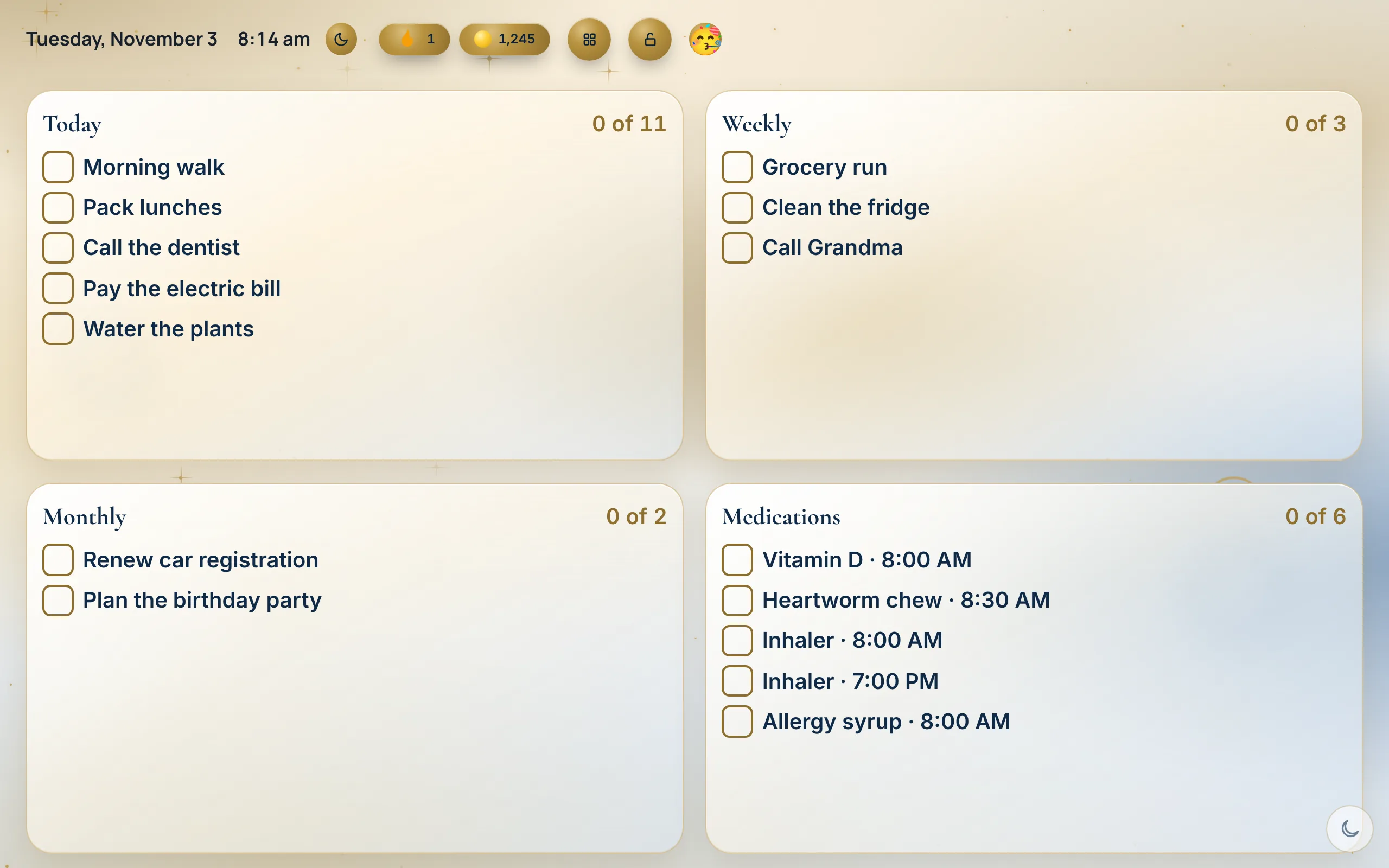
Everyone’s plans in one Planner. Then put a tablet on the fridge and turn on the Wall: today’s tasks, doses and dinner for the whole house, big enough to read from across the kitchen.
Household plan · $4.99 a month or $39 a year
Why it helps
Everyone’s plans in one place
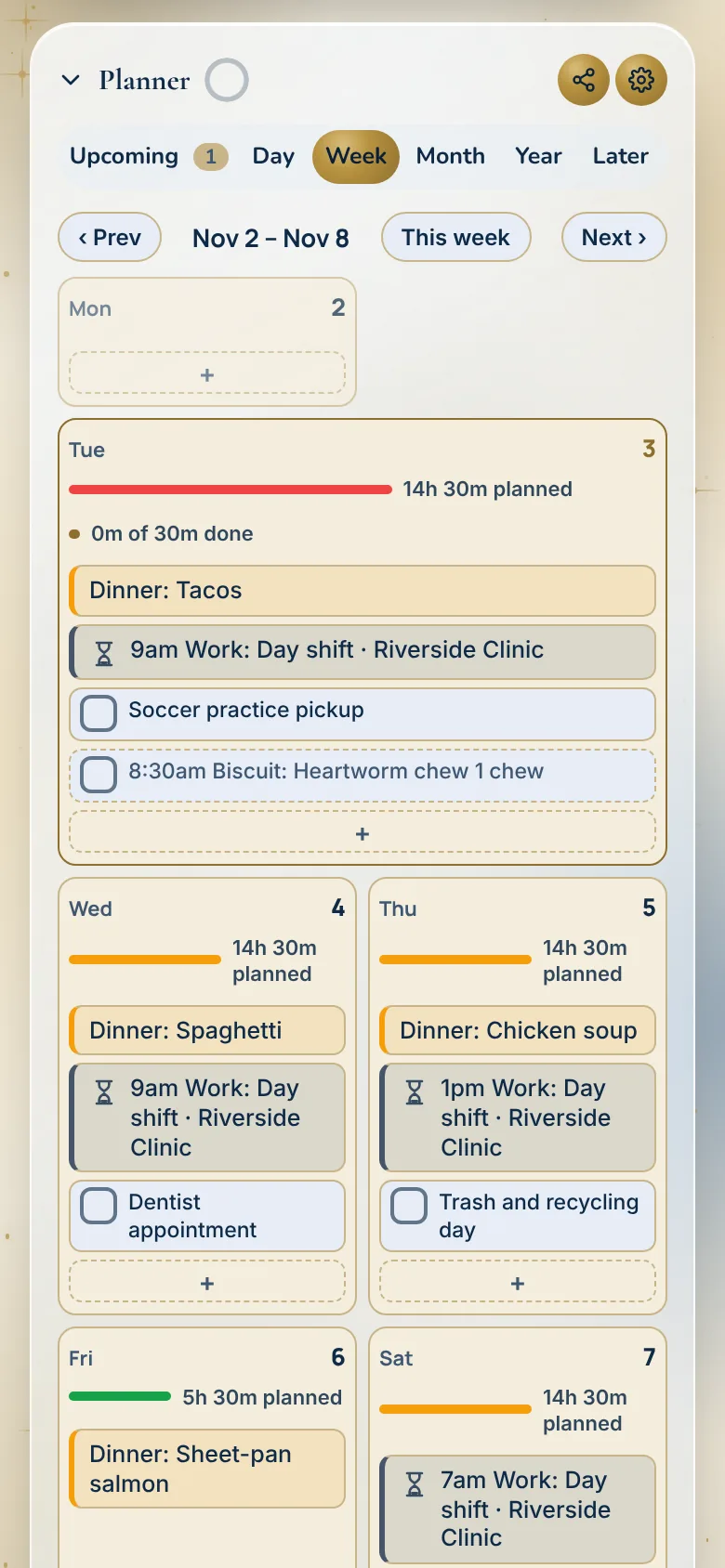
Practice, the dentist, trash day and work shifts sit together in the Planner, by day, week, month or year.
The Wall
One screen for the house. Everyone sees their day, and anyone can tick off what they have done.
Your other calendars too
Show events from Google, Apple or Outlook next to your tasks, so nothing lives in two places.
How it works
Add it to the Planner
Add an event with a date and a time, or drag a task onto an hour. Upcoming shows what is next for everyone.
Turn on the Wall
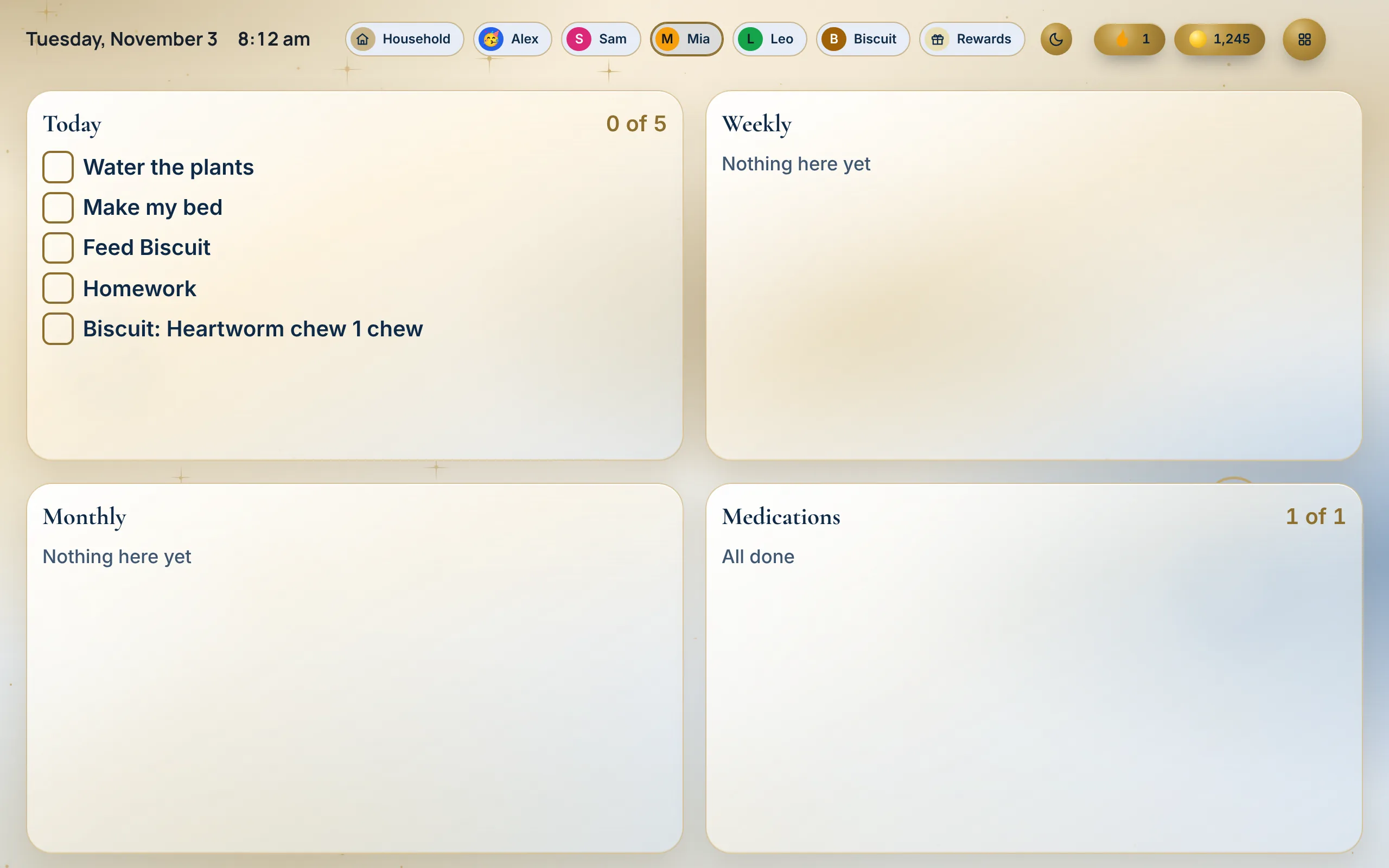
Open the Wall on a tablet or a spare laptop. It shows today for every person in the house.
Tick it off from the Wall
Tap a task or a dose right on the Wall. It updates on every phone in the house.
Made for real households
- The morning rush
Everyone glances at the Wall on the way out: who has practice, whose turn the dishes are, what is for dinner.
- Two parents, two jobs
Work shifts sit in the same Planner as the kids’ pickups, so the handoffs are clear.
- Birthdays and big dates
Keep birthdays and prep lists with the calendar, so the card gets bought before the party.
- A sitter for the evening
The Wall shows the night’s tasks and doses, so the sitter doesn’t need a long note.
Watch it
Questions
What is the Wall?
The Wall is one screen for the whole house. Open it on a tablet or a computer and it shows today for every person, and anyone can tick things off on it.
What do I need for the Wall?
Any tablet or computer with a modern web browser. There is nothing to install, though you can add it to the home screen.
Can it show the whole month?
Yes. Tap the screen button at the top (Change view) and pick Calendar view: the month fills the screen with each day’s events, dinners and shifts. Tick Split with today’s list to keep Today and Weekly beside it, and tap a day to open it in the Planner.
Does the screen stay on?
Wall view and Calendar view go full screen and ask the browser to keep the screen awake. When nobody is using it, a screen saver dims the screen and shows drifting tiles or your family photos.
Can I see my Google, Apple or Outlook calendar?
Yes. In the Planner, tap Your other calendars to show events from Google, Apple or Outlook next to your tasks.
Does a change show up on everyone’s phone?
Yes. Daily Tracker syncs to every device in the house in seconds.
Can I plan my day by the hour?
Yes. In the Planner, open Day. Drag a task onto a time, drag it to move it, and pull its bottom edge to change how long it takes.
Which plan has the Wall and shared calendars?
The Household plan: $4.99 a month or $39 a year, with 30 days free and no card to start.
Works well with
Try it at home for 30 days
No card to start. We’ll remind you before it ends, and you can cancel any time.
Start your 30 free days